How a NapTime works
-
Pick a stop
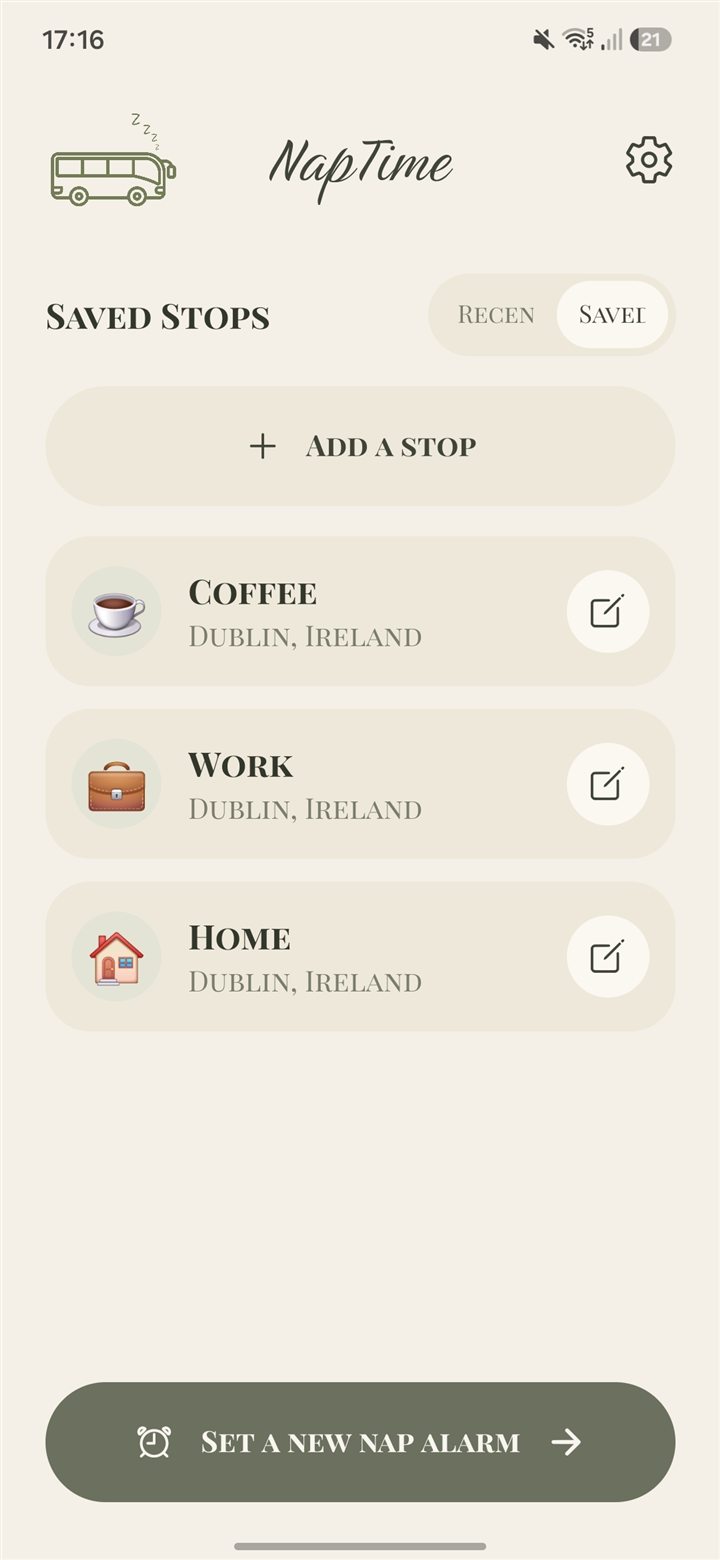
Search any place, or tap one you’ve saved: home, work, the coffee place.
-
Set the radius
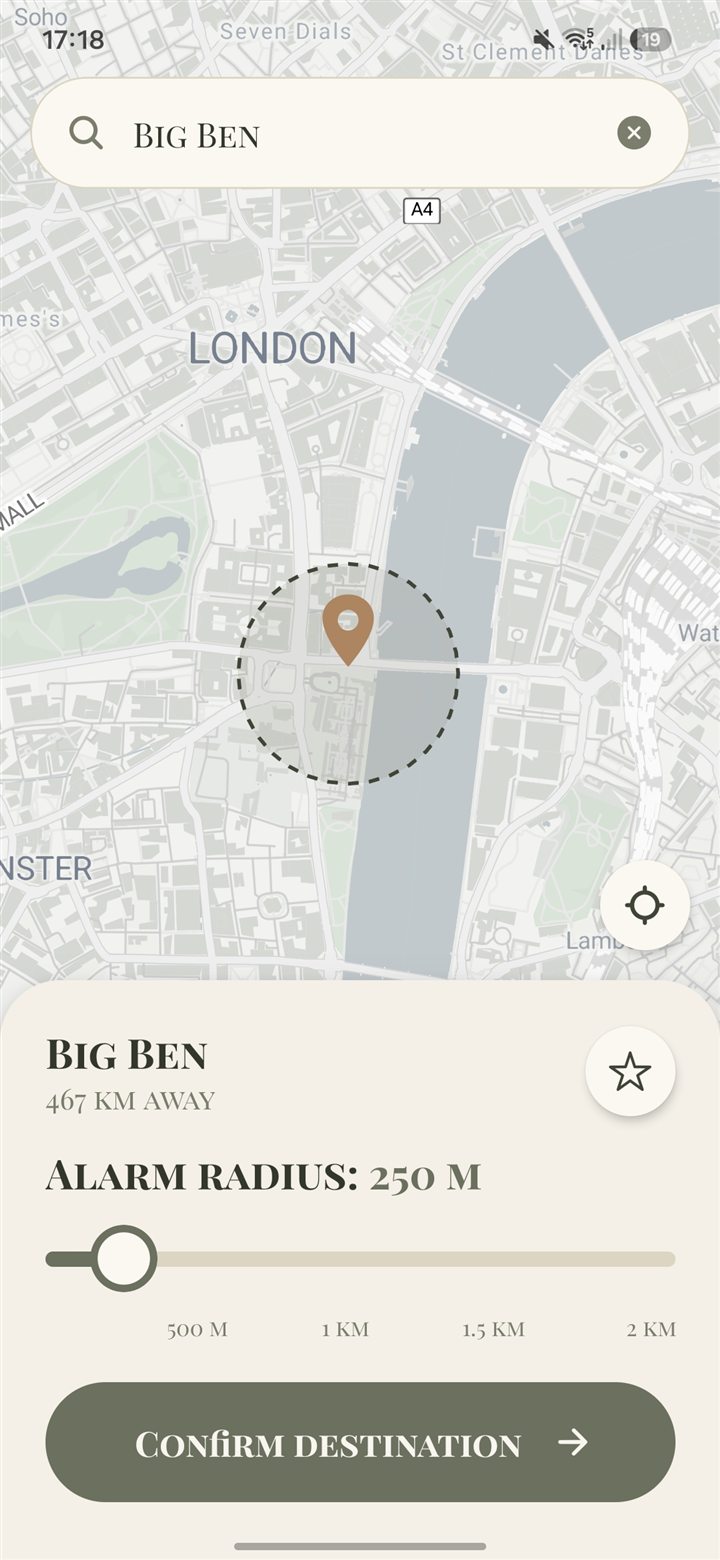
Choose how close to be when the alarm goes off, anywhere from 250 m to 2 km.
-
Nap
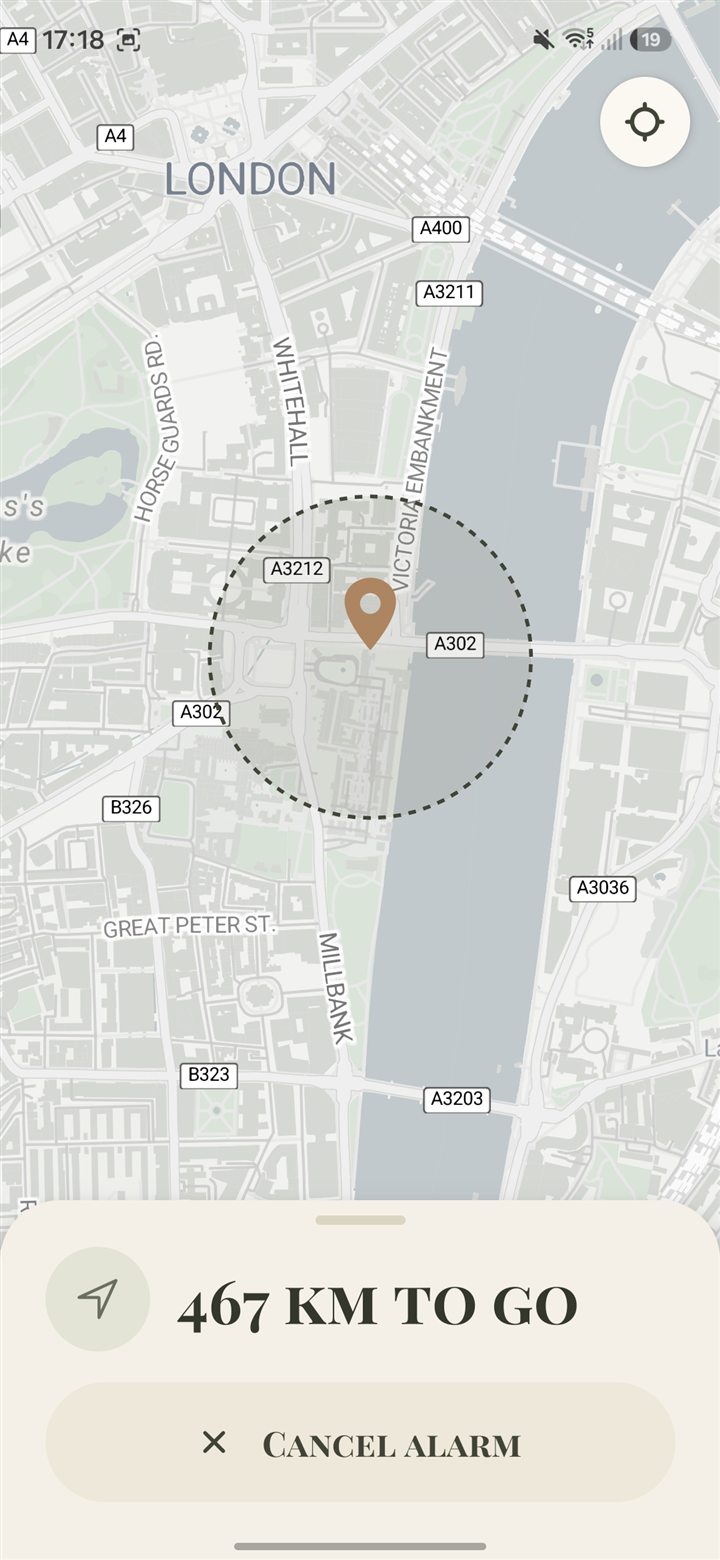
The map keeps count of the distance to go. Change your mind and cancel any time.
-
Wake up
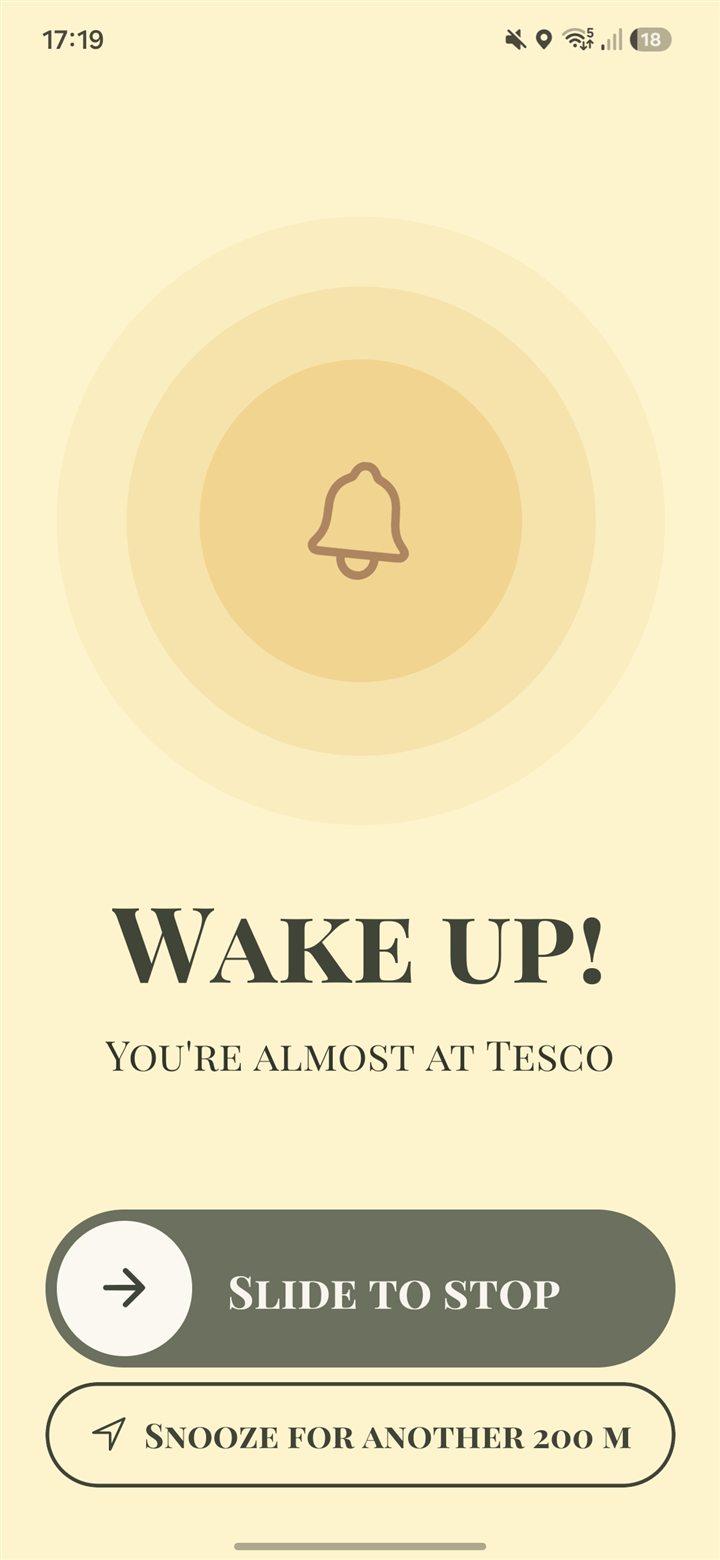
Slide to stop the alarm, or snooze.
FAQs
How does NapTime know when to wake me?By location
It uses your phone’s location. Pick a stop and an alarm radius, and the alarm goes off when you come within that distance of the stop.
How early will it wake me?250 m – 2 km
You choose: anywhere from 250 m to 2 km before your stop.
Do I have to search for my stop every time?Saved stops
No. Save the stops you use and set them again without searching. Your recent stops are kept too.
Can I cancel an alarm?Any time
Yes, any time, from the active alarm screen.
What does it cost?Free
Nothing. NapTime is free, with no ads, with a Pro plan available.